Contents (11 sections)
Understanding Home Cinema Basics
A home cinema setup transforms a standard living space into a personal theatre. This enhancement offers a rich, immersive experience, making movie nights and gaming even more enjoyable. When setting up your home cinema, consider sound, visuals, and comfort, echoing the balance of a commercial cinema.
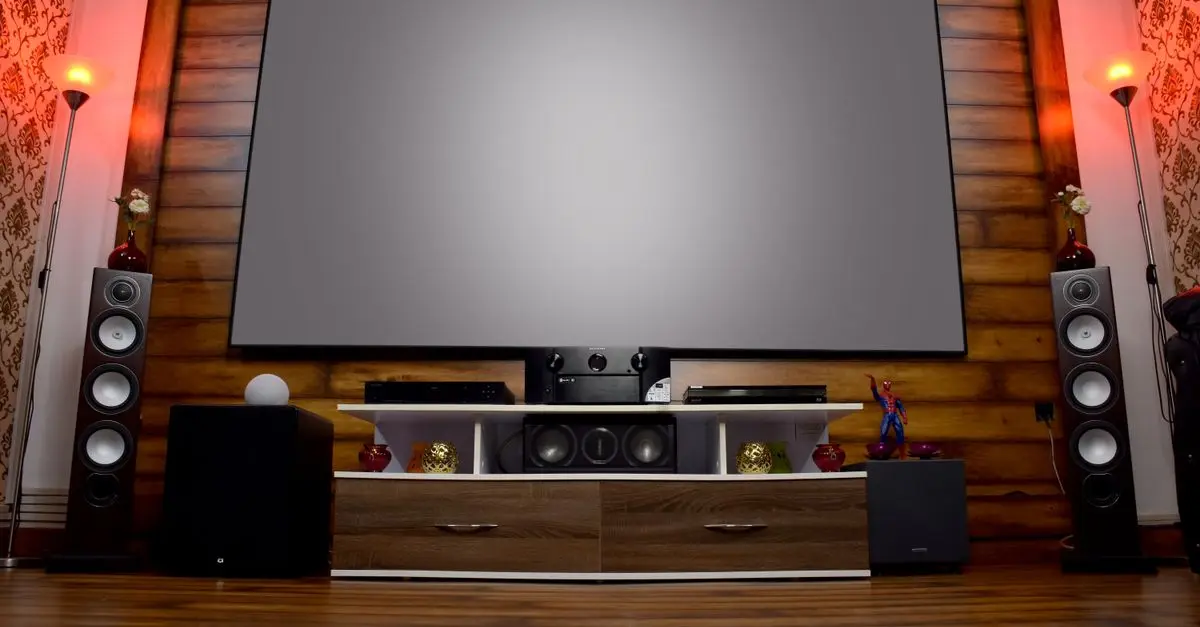
Investing in a home cinema can elevate leisure time, offering a personalised touch to visual and audio entertainment. Consider incorporating surround sound systems and high-definition projectors, ensuring a cinematic experience. Source: Les Numériques
Choosing the Right Room
The room selection is crucial. Ideally, the space should be well-insulated to avoid external noise interruptions. Small to medium rooms serve best, as sound systems fully perform in enclosed areas. When configuring, avoid rooms with excessive natural light which can affect projection visuals.
The room layout also impacts equipment setup. Angle screens away from windows to reduce glare. Use dark or neutral colours on walls to absorb excess light and enhance projection quality. According to UFC-Que Choisir, proper room acoustics can improve overall sound performance dramatically.
Selecting Audio Equipment
Audio is the heartbeat of a home cinema. Choosing between a stereo or surround sound system depends on room size and personal preference. Surround systems like 5.1 or 7.1 offer more depth and aural immersion, ideal for films with complex soundscapes.
Brands such as Sonos and Yamaha are popular for offering integrated systems. Opt for wireless speakers if you prefer a clutter-free setup, considering the transmission range and latency.
Optimising Video Quality
Visuals make up the other half of the home cinema experience. When selecting a screen, consider size relative to viewing distance. Screens from brands like Samsung and LG are favoured for their 4K resolution, offering sharp and vibrant colour details.
For a projector setup, a minimum of 1080p is recommended, with higher lumens for brighter picture quality. Placement is key; mount projectors overhead to maximise room space, ensuring the projection angle aligns with the viewing axis.
Lighting and Ambience
Lighting control can drastically alter the viewing experience. Use dimmable lights to tailor your environment to suit the mood of different media. Install blackout curtains to eliminate natural light spill, improving picture visibility.
Smart lighting solutions by Philips Hue allow customised lighting scenes synchronised with media playback, enhancing immersion. Incorporating ambient backlighting can reduce eye strain during extended viewing sessions.
Seating Arrangements
Comfortable seating is critical for lengthy viewings. Opt for recliners or cushioned sofas with ample support. The seating distance should match screen size to prevent neck strain.
The best viewing angles are typically at eye level with the centre of the screen. Arrange seating in a staggered pattern for large spaces to maintain an unobstructed view for all.
📺 Resource Video
> 📺 For further insights: How to Design Your Home Theatre, a comprehensive analysis on tips and setup strategies. Look up on YouTube: "home cinema setup tutorial 2026".
Comparative Analysis
| Equipment | Option A | Option B | Option C | Verdict |
|---|---|---|---|---|
| Sound System | 5.1 Surround | 7.1 Surround | Stereo | 7.1 for full immersion |
| Screen | LED | OLED | Projector | OLED for superior contrast |
Glossary
| Term | Definition |
|---|---|
| Lumens | A measure of light output from a projector |
| 4K Resolution | Ultra-high-definition with approximately 4000 pixels width |
| Surround Sound | Audio that surrounds the listener with multi-channel audio |
Checklist Before Purchase
- [ ] Evaluate room acoustics
- [ ] Compare audio equipment options
- [ ] Check visual output resolution preferences
- [ ] Test lighting adjustments
- [ ] Arrange seating for optimal comfort
🧠 Quiz rapide: What is the ideal screen resolution for a home cinema?
- A) 720p
- B) 1080p
- C) 4K
Réponse: C — 4K offers the best detail and quality.